















Best Energy Tracking Apps & Devices (2026)
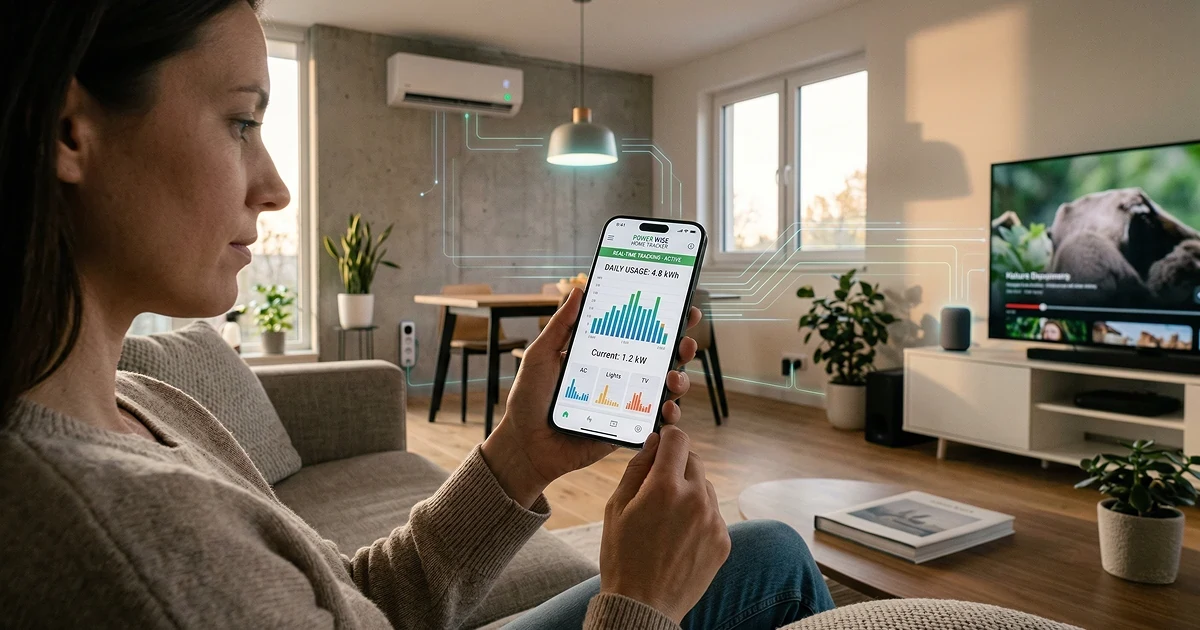
You can’t cut what you can’t measure. The single most effective way to lower your electricity bill is to understand where your energy goes — and modern monitoring apps and devices make this remarkably easy. From whole-home energy monitors to smart plug trackers, here are the best tools for tracking your electricity consumption in 2026.
Comparison: Best Energy Monitoring Solutions
| Solution | Type | Cost | Granularity | Best For |
|---|---|---|---|---|
| Sense Home Energy Monitor | Whole-home hardware | $299 | Per-device (via AI detection) | Deep energy nerds who want per-appliance data |
| Emporia Vue Gen 3 | Whole-home + circuit-level hardware | $90–$200 | Per-circuit | Best value for whole-home monitoring |
| Smart Meter / Utility App | Free app (uses utility data) | $0 | Whole-home (15-min intervals) | Casual monitoring, no hardware needed |
| TP-Link Kasa Smart Plug | Plug-level monitor | $15–$30 each | Per-device | Tracking specific high-usage appliances |
| Enphase Enlighten | Solar + consumption app | Free (with Enphase system) | Solar production + home consumption | Homeowners with Enphase microinverters |
| Tesla App | Solar + Powerwall app | Free (with Tesla system) | Solar, battery, grid, home | Tesla solar/Powerwall owners |
1. Sense Home Energy Monitor
Sense is the gold standard for home energy monitoring. It installs inside your electrical panel and uses machine learning to identify individual appliances by their unique electrical signatures. Over time, Sense learns to recognize your refrigerator, dryer, HVAC, and dozens of other devices — showing you exactly how much each one costs to run.
2. Emporia Vue Gen 3
The Emporia Vue is the best value in home energy monitoring. The base unit installs on your electrical panel and provides whole-home monitoring. For circuit-level detail, you add CT (current transformer) clamps to individual breakers — the expanded kit comes with 16 clamps, so you can monitor your HVAC, water heater, EV charger, dryer, and other major circuits individually.
3. Your Utility’s Smart Meter App (Free)
If you have a smart meter — and over 75% of U.S. homes do — you already have access to energy monitoring data at no cost. Most utilities offer a customer portal or app that shows your usage in 15-minute or hourly intervals.
In Texas, your TDU (like Oncor or CenterPoint) provides this data through the Smart Meter Texas portal. Many electricity providers also build usage dashboards into their customer apps.
| Texas TDU / Portal | Data Available | Update Frequency |
|---|---|---|
| Smart Meter Texas (all TDUs) | 15-minute interval data | Next day |
| Oncor Customer Portal | Daily usage, outage alerts | Next day |
| CenterPoint myAccount | Hourly usage, billing history | Next day |
The downside of utility data is that it’s not real-time (typically delayed by 24 hours) and it only shows whole-home consumption — no per-device breakdown.
4. Smart Plugs with Energy Monitoring
If you want to monitor specific devices without installing hardware in your breaker panel, smart plugs with energy monitoring are the cheapest entry point. Simply plug the smart plug into an outlet, then plug your appliance into the smart plug. The plug tracks watts, kWh, and cost in real time.
| Smart Plug | Price | Ecosystem | Max Load |
|---|---|---|---|
| TP-Link Kasa EP25 | ~$15 | Alexa, Google Home | 15A |
| Eve Energy | ~$35 | Apple HomeKit / Matter | 15A |
| Emporia Smart Plug | ~$15 | Emporia app, Alexa, Google | 15A |
| Shelly Plug Plus S | ~$20 | Shelly app, Home Assistant | 12A |
Smart plugs work best for monitoring specific energy hogs: space heaters, window AC units, gaming PCs, older refrigerators, and dehumidifiers. They’re not practical for hardwired appliances (HVAC, water heater, dryer) or 240V circuits.
5. Solar Monitoring Apps
If you have solar panels, your inverter manufacturer provides a free monitoring app. These apps show solar production, home consumption (if a consumption CT is installed), grid import/export, and battery status (if applicable).
What to Look for in an Energy Monitor
- Real-time data: The faster the updates, the more useful the feedback. Second-by-second data helps you see the immediate impact of turning things on and off.
- Per-device or per-circuit breakdown: Whole-home monitoring tells you how much you use; per-device monitoring tells you where to cut.
- Cost tracking: The best apps let you enter your electricity rate so you see usage in dollars, not just kWh. Some even support TOU rate schedules.
- Historical data & trends: Look for apps that store at least 12 months of data so you can compare season over season.
- Alerts: Push notifications when usage exceeds a daily or monthly threshold help you catch problems (like a failing HVAC compressor) before the bill arrives.
- No subscription fees: Sense, Emporia, and most utility apps are subscription-free. Avoid solutions that require monthly fees for basic functionality.
“Studies consistently show that real-time energy feedback reduces residential electricity consumption by 5–15%, with engaged users seeing savings of 15–25%.”
— American Council for an Energy-Efficient Economy (ACEEE)
Getting Started: Our Recommendation
- Start free. Check if your utility or electricity provider has a usage dashboard or app. In Texas, visit the Smart Meter Texas portal to access your 15-minute interval data at no cost.
- Add smart plugs to your biggest energy hogs. For $15–$30, you can monitor specific devices and identify which ones are costing you the most. Start with your oldest appliances.
- Graduate to whole-home monitoring. If you want the full picture, the Emporia Vue ($90–$200) offers the best value. For per-appliance AI detection, Sense ($299) is the top choice.
Regardless of which tool you choose, the act of monitoring itself will change your behavior. When you can see exactly how much your old space heater is costing you per hour, you’ll find the motivation to replace it.
Sources
ACEEE residential energy feedback studies, manufacturer specifications (Sense, Emporia, TP-Link, Enphase, Tesla, SolarEdge), Smart Meter Texas portal data, EIA smart meter deployment statistics. Last updated March 17, 2026.
